Chemmy 0.3.1 for Mac
The structure editor that feels like a design tool.
Chemmy draws molecules, mechanisms and reaction schemes on an infinite canvas. Every tool shows what it is about to do, the inspector keeps the formula and masses up to date, and ⌘K turns a name or a SMILES string into a structure.
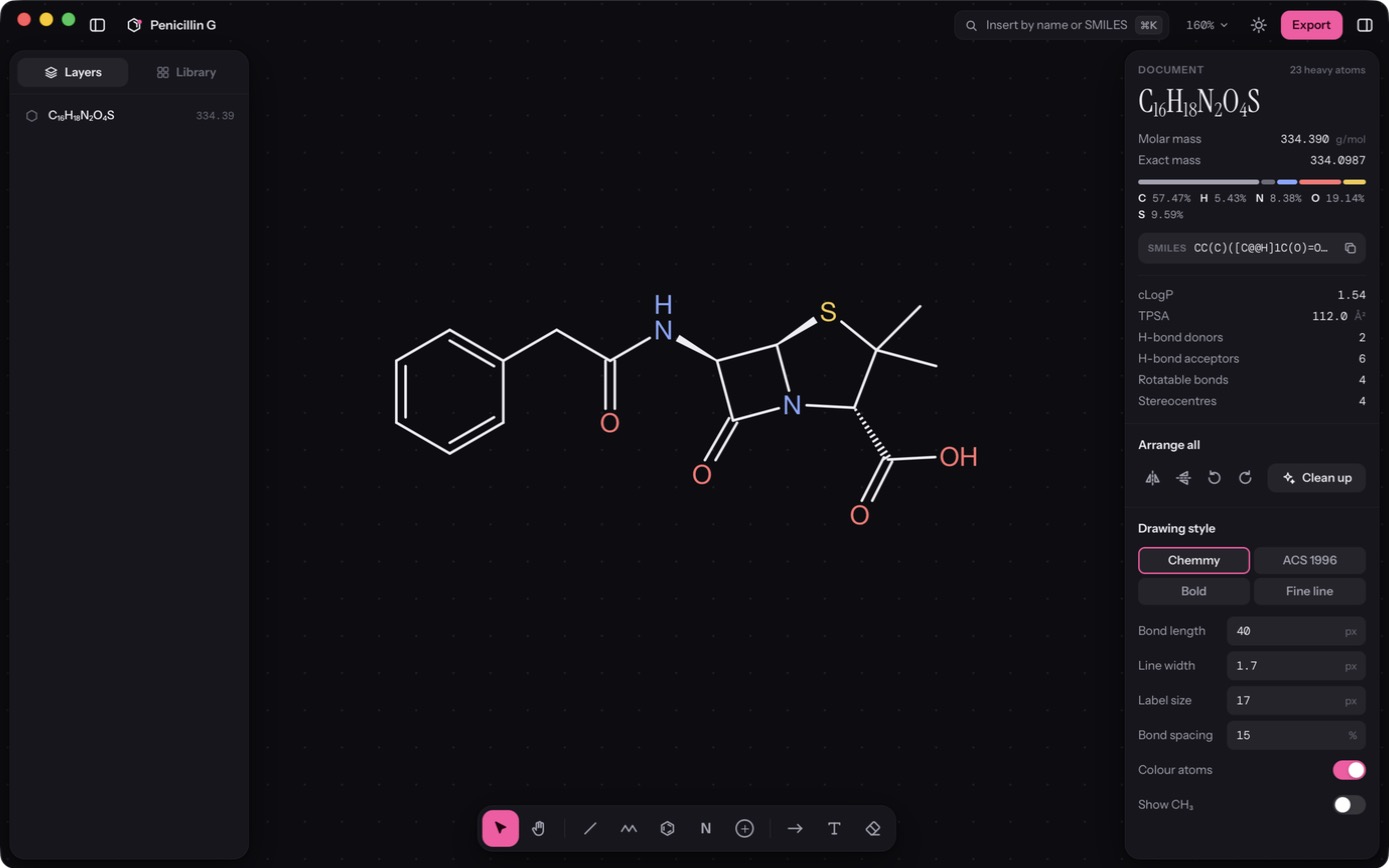
Document 23 heavy atoms
C16H18N2O4S
- Molar mass
- 334.390 g/mol
- Exact mass
- 334.0987
C 57.47%H 5.43%N 8.38%O 19.14%S 9.59%
SMILESCC(C)([C@@H]1C(O)=O)S[C@H]([C@@H]2NC(Cc3ccccc3)=O)N1C2=O
- cLogP
- 1.54
- TPSA
- 112.0 Ų
- H-bond donors
- 2
- H-bond acceptors
- 6
- Stereocentres
- 4
Live previews
See it before it happens.
Hover with any tool and Chemmy draws, in pink, exactly what a click would add. Rings show where they will fuse. Bonds show which way they will grow. Click to keep it; move on to change your mind.
- Bonds grow at the natural angle, and snap to 15° when you drag
- Rings fuse onto bonds, attach at atoms, and close where they meet
- Every gesture is one undo step
Command palette
Type a name. Get a structure.
⌘K understands names, SMILES and commands. Type caffeine, c1ccncc1 or
clean up, and the result lands on the canvas, laid out and ready to edit.
- A library of rings, heterocycles, amino acids, reagents and well-known molecules
- Paste a Molfile or a SMILES string straight onto the canvas
Inspector
The arithmetic is already done.
Formula, molar mass, exact mass, elemental composition and SMILES follow every edit, for the whole drawing or just what you have selected. An atom with more bonds than it can hold gets a quiet warning ring.
- cLogP, polar surface area, H-bond donors and acceptors, stereocentres
- Isotopes, charges and radicals are counted properly
Selection 14 heavy atoms
C8H10N4O2
- Molar mass
- 194.19 g/mol
- Exact mass
- 194.0804
C 49.48%H 5.19%N 28.85%O 16.48%
SMILESC[n]1c(C(N(C)C(N2C)=O)=O)c2nc1
Mechanisms
Arrows that hold on.
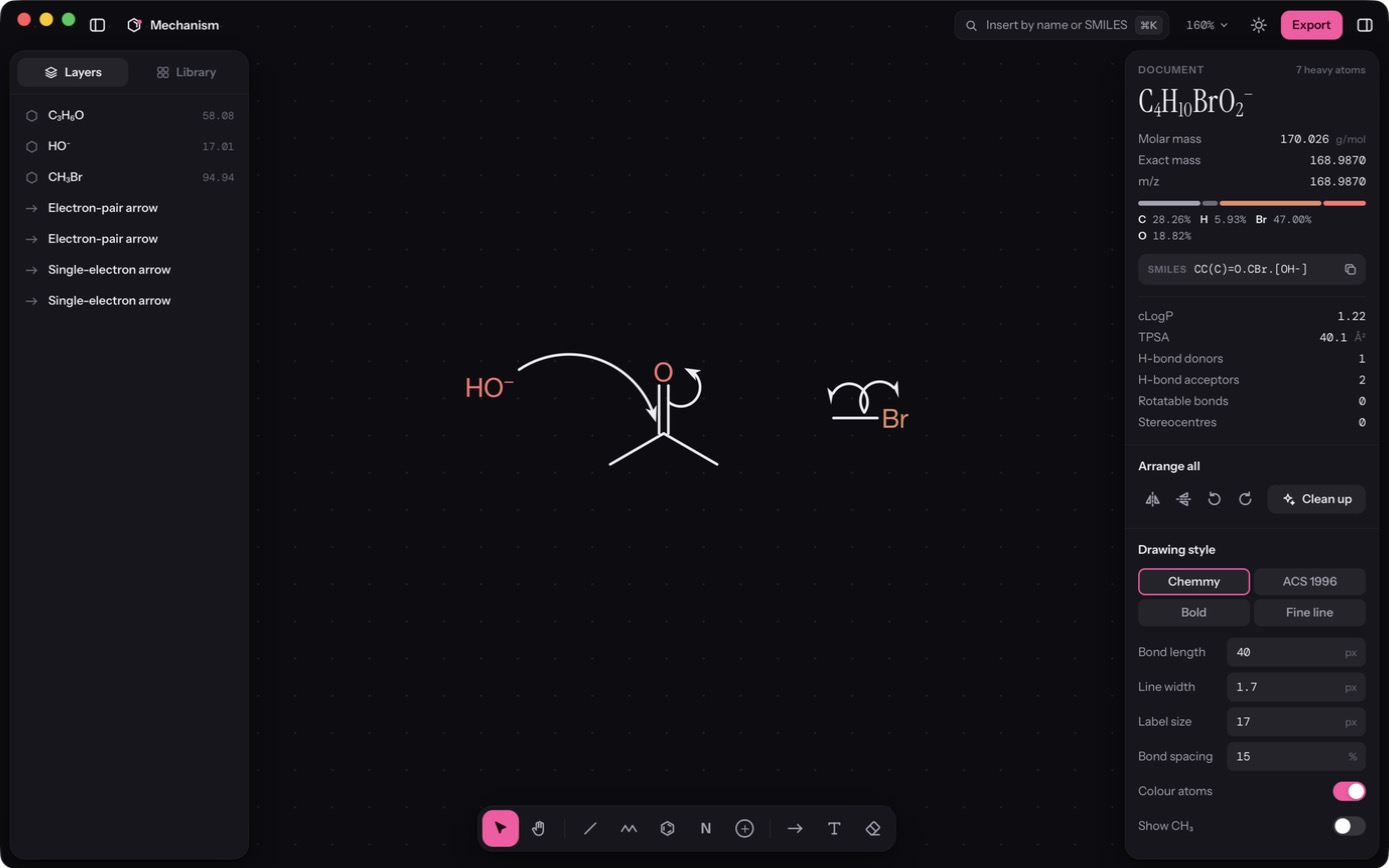
Curved arrows snap to the atom or bond you start from and the one you end on. They stop clear of labels, arrive between an atom’s bonds, and bow away from the structure. Move the molecule, flip it or clean it up, and they come along.
- Full heads for an electron pair, fishhooks for a single electron
- Drag the dot in the middle to reshape the curve
- Reaction, equilibrium, resonance and retrosynthesis arrows too
Orbitals and brackets
The parts other tools make hard.
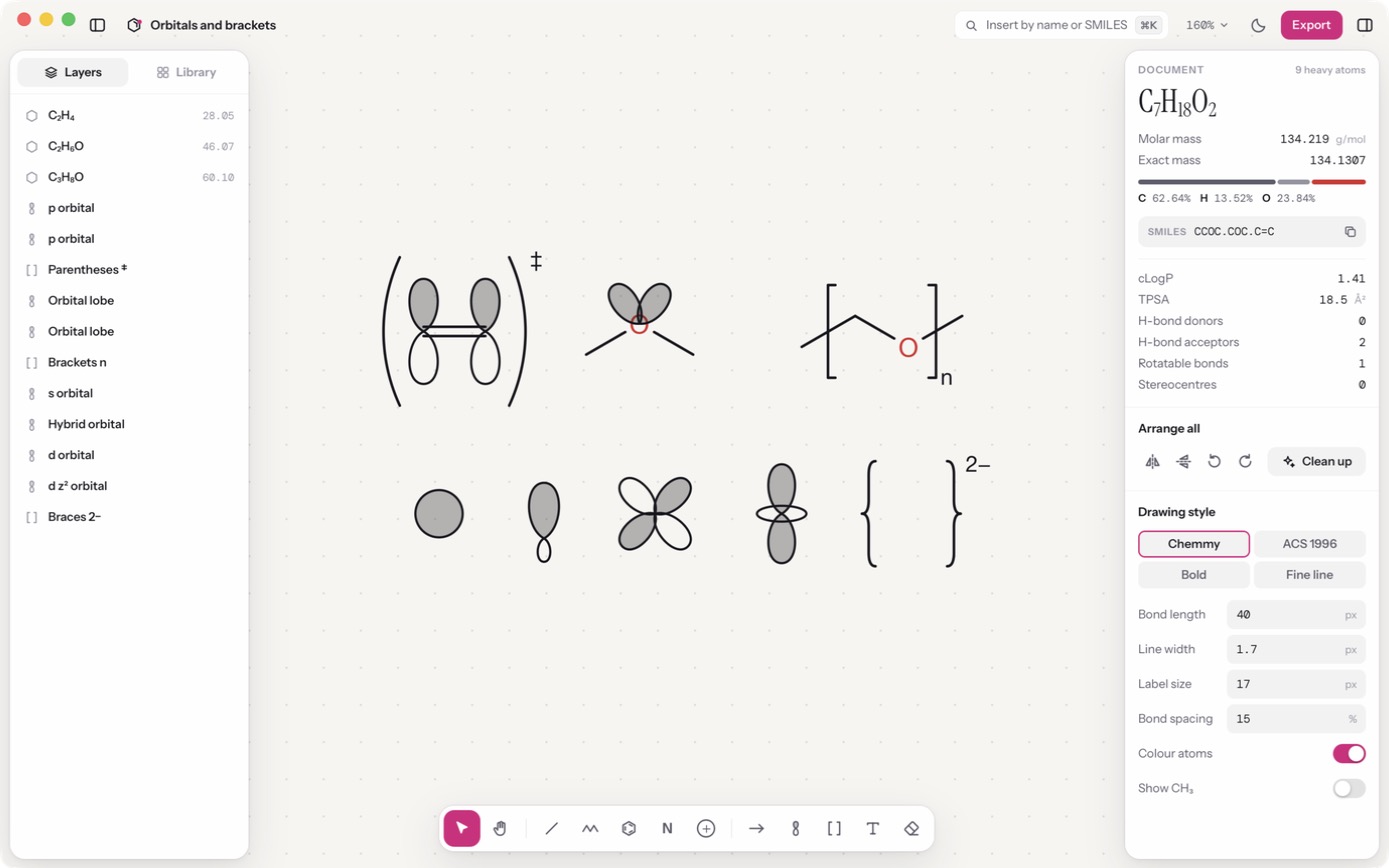
Drop an s, p, hybrid or d orbital on an atom and it stays there, turning with the molecule. Shade the positive phase or leave it open. Wrap a complex or a whole species in brackets and type what goes beside them.
- Lone-pair lobes point into the open space around an atom on their own
- Square brackets, parentheses and braces, with n, a charge or ‡
Repeat units
Brackets that cross the bond.
A repeat unit is marked where the chain carries on, so that is where its brackets belong. One click sets a bracket across a bond; a second click sets its partner. Each stands square to its own bond, and the pair is always the same height.
- They belong to their bonds: move, rotate, flip or clean up the molecule and they stay put
- Parentheses, square brackets or braces, with a count such as n or 20
- A number multiplies what they enclose in the formula and mass
- Turn either one to any angle when square is not what you want
How repeat brackets work
-
Click a bond
Pick the Bracket tool with [, ( or {, and point at the bond where the unit begins. A bracket appears across it in pink. Click to set it.
-
Click another
The partner follows your pointer. Click the bond where the unit ends and the pair is made, turned to face each other. esc backs out.
-
Count, turn, resize
Type the count in the inspector. With the Select tool, drag a tip to turn a bracket or make both taller, and drag a middle to slide it along its bond or move it to another.
Dragging on empty canvas still draws the upright pair around a region. Tips turn in 15° steps; hold ⌥ for any angle, or ⇧ to turn without resizing.
Your structures
Draw it once. Keep it.
Select anything you draw often and save it under a name. It waits in the Library beside the built-in structures, one click from the canvas, and ⌘K finds it by name.
- Kept exactly as drawn: labels, stereo bonds, arrows and brackets come along
- Save a whole scheme, not just one molecule
- A file on your Mac, so your collection survives every update
My structures 3
Keyboard
Point at an atom. Press N.
The fastest way to draw is not to reach for anything. With the pointer over an atom, type its element. Press 1 2 3 to grow a bond, + and − for charge.
Try it here: press a key, or click one.
Files
Plays well with everything else.
Copy puts a figure on the clipboard: a vector PDF for documents and slides, a PNG for everything else, and the drawing itself, so it pastes back into Chemmy ready to edit. Copy As gives a Molfile or SMILES for other chemistry software.
Every PDF, PNG and SVG Chemmy makes carries the drawing it came from. Open the picture, and keep editing.
Opens
.chemmy.mol.sdf.smiits own PDF, PNG, SVG
Exports
PDFSVGPNG 1–4×MolfileSMILES
Stays
On your Mac. No account, no sync, nothing uploaded. Work is restored if the app quits before you save.
Straight from the app
Start with a bond.
Download it, draw something, and see how it feels.